Agriculture
Season accounting for farms: define fields and crops, open a season per planting, record its costs (seeds, irrigation, fertilizer, pesticides, labor, machinery…) which are capitalized automatically to the "crop work in progress" account, then record harvests that move the cost into the "harvest inventory" account — revealing the true cost per ton and the profitability of every season and field.
Before you start: module accounts
Purpose: the Agriculture module posts automatically, so — once only — two chart-of-accounts links must be configured in Settings › Accounts before saving the first cost or harvest:
| Setting key | Account | Used for |
|---|---|---|
Agri.CropWipAccountCode | Crop work in progress (WIP) | Debited by every season cost; credited by every harvest value. |
Agri.HarvestInventoryAccountCode | Harvest inventory | Debited by the harvest value when a harvest is recorded. |
Comm.CashAccountCode | Default cash box | The credit side of a season cost when no cash box is chosen on the form. |
Permissions: each screen has its own permissions granted from role management:
AGRI.Fields.* and AGRI.Crops.* (view/create/edit/delete),
AGRI.Seasons.* (view/create/edit — closing requires the edit permission),
AGRI.Costs.* and AGRI.Harvests.* (view/create).
Fields
Route: Agriculture › Fields — /agri/fields
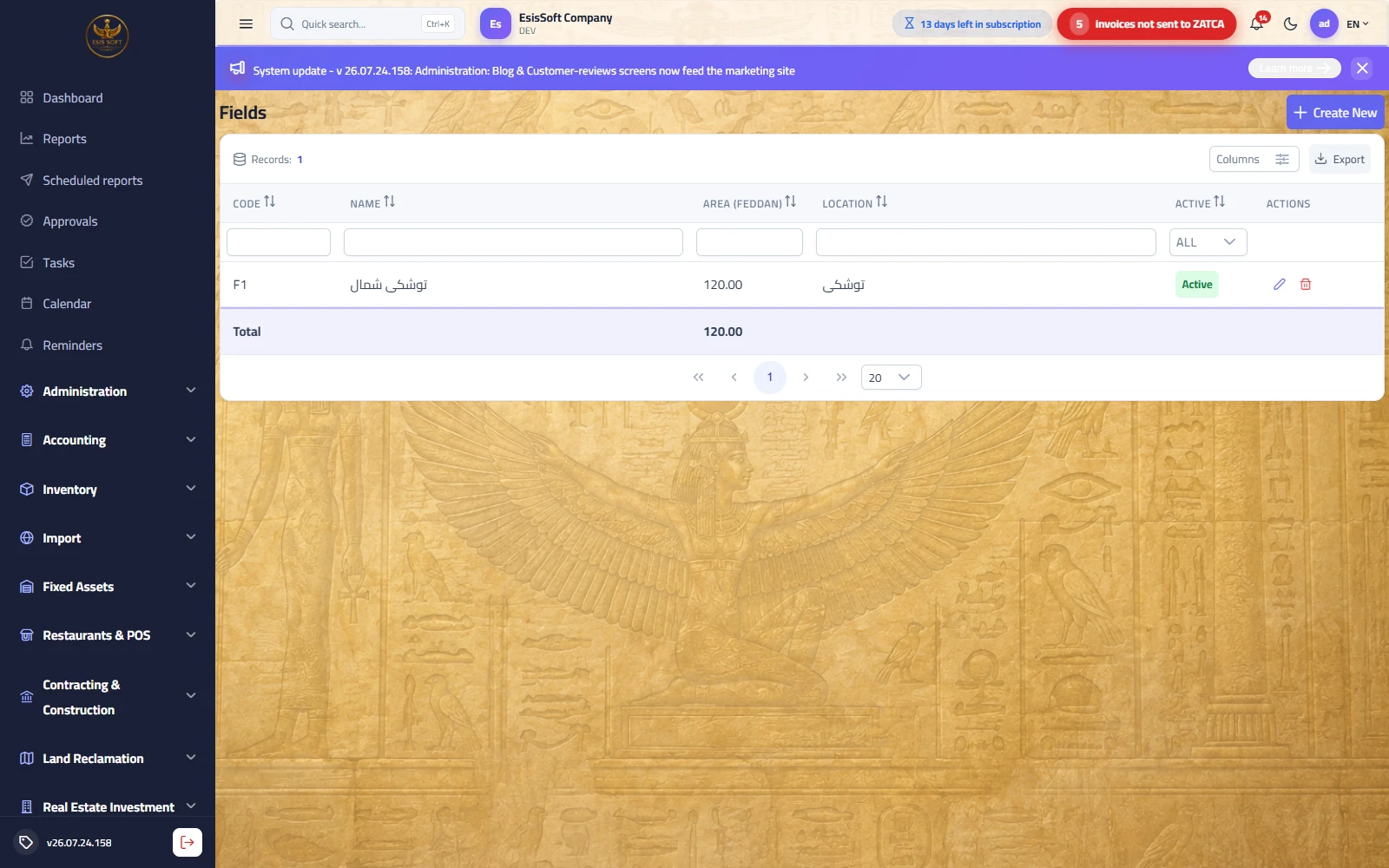
Purpose: master data defined once: each field (or farm/plot) with its code, name, area in feddan and location. The field is one side of every season, and it lets you compare field productivity and cost across years.
When to use it: during initial setup, when renting/buying new land, or to deactivate a field taken out of service.
Create/edit screen fields
| Field | Required | Description |
|---|---|---|
| Code | Auto | Suggested automatically in sequence and read-only on the form; must be unique — duplicates are rejected with "Field code already exists". |
| Arabic name | Yes | The field name shown in seasons and lists. |
| English name | No | Optional; if left empty the Arabic name is used. |
| Area (feddan) | No | Number with 2 decimals, cannot be negative. The list shows its total, giving overall farmed area. |
| Location | No | Free text: village/road/coordinates… to tell fields apart. |
| Active | — | Shown only when editing. An inactive field disappears from the field picker of new seasons without losing its history. |
- From the list click "Create" — the form opens with the code pre-suggested.
- Enter the Arabic name (required), the area and the location.
- Save with "Save", or "Save & New" to enter several fields in a row; "Back" cancels.
- Next to the form is a record notes panel for permanent notes about the field (soil type, water source…).
FAQ
Q: I plant the same field in summer and winter — do I define it twice?
A: No. The field is defined once; open a new season on it for each planting — costs are separated by season, not by field.
Q: We measure in hectares, not feddan?
A: The area box is a plain number labeled "feddan"; in practice you can enter values in your own unit as long as
you use one unit consistently across all fields so totals and comparisons stay meaningful.
Q: I split a large field into two plots — what should I do?
A: Define the two plots as new fields with their areas and deactivate the old field (untick "Active");
old seasons stay on the old field for history.
Crops
Route: Agriculture › Crops — /agri/crops
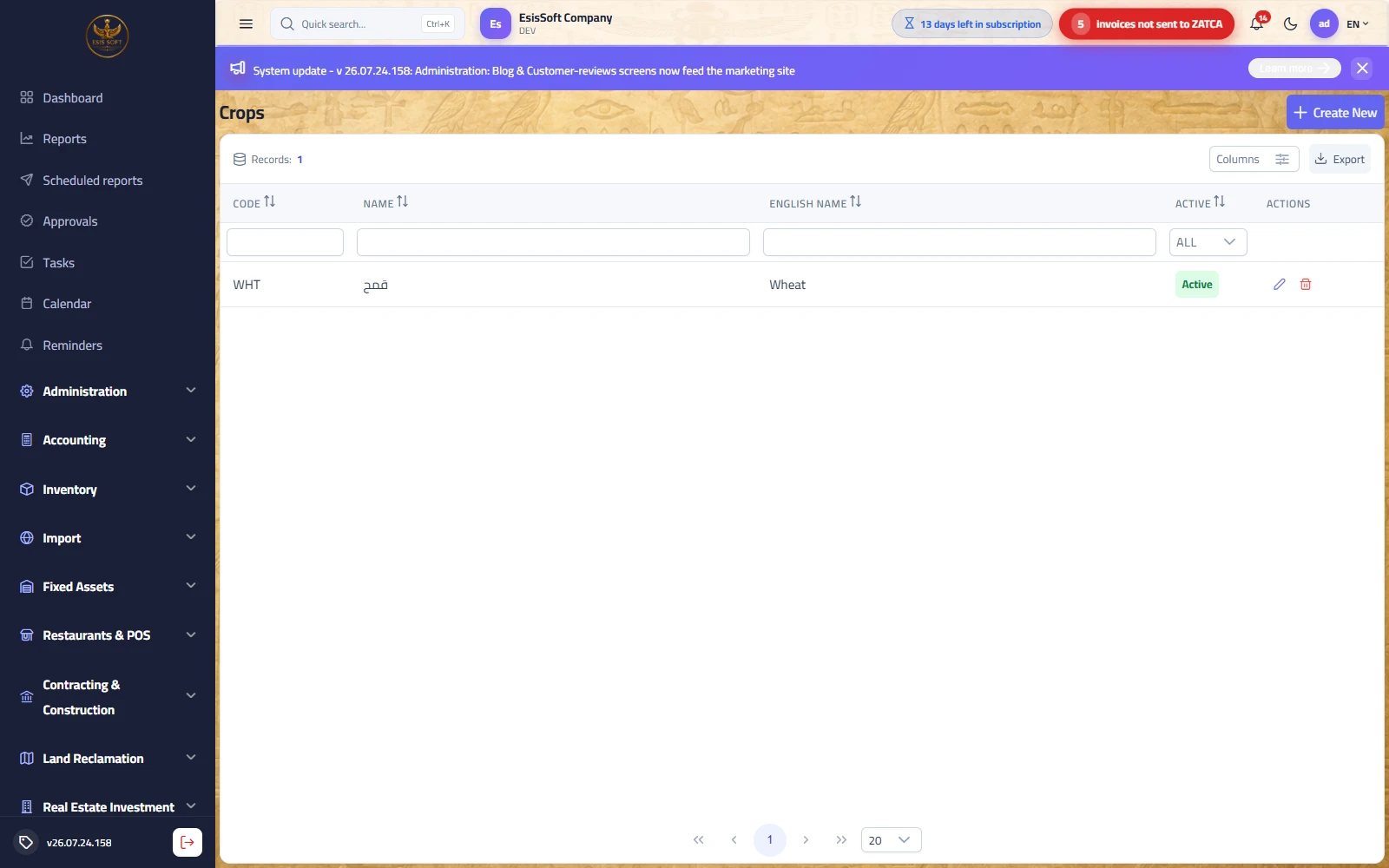
Purpose: master data: the list of what you grow (wheat, dates, tomatoes…) with a code and Arabic/English names. The crop is the second side of a season's definition, and profitability reports group by it.
Create/edit screen fields
| Field | Required | Description |
|---|---|---|
| Code | Auto | Auto-suggested and unique — duplicates are rejected with "Crop code already exists". |
| Arabic name | Yes | The crop name shown in seasons and reports. |
| English name | No | Optional; the Arabic name is used if left empty. |
| Active | — | When editing only. An inactive crop disappears from the new-season picker. |
FAQ
Q: I grow two wheat varieties (local and imported) — one crop or two?
A: If you want to compare their cost and profitability, define them as two separate crops; if treated identically, one crop is enough.
Q: Is the crop linked to a stock item in the Inventory module?
A: There is no automatic link; the harvest posts its value to the harvest inventory account in the chart of accounts.
When selling, you issue a sales invoice with whatever item you use, and the harvest inventory account is settled by accounting entry.
Q: I entered the Arabic name only — what shows in the English interface?
A: The system automatically uses the Arabic name as the English name until you edit it later.
Seasons
Route: Agriculture › Seasons — /agri/seasons
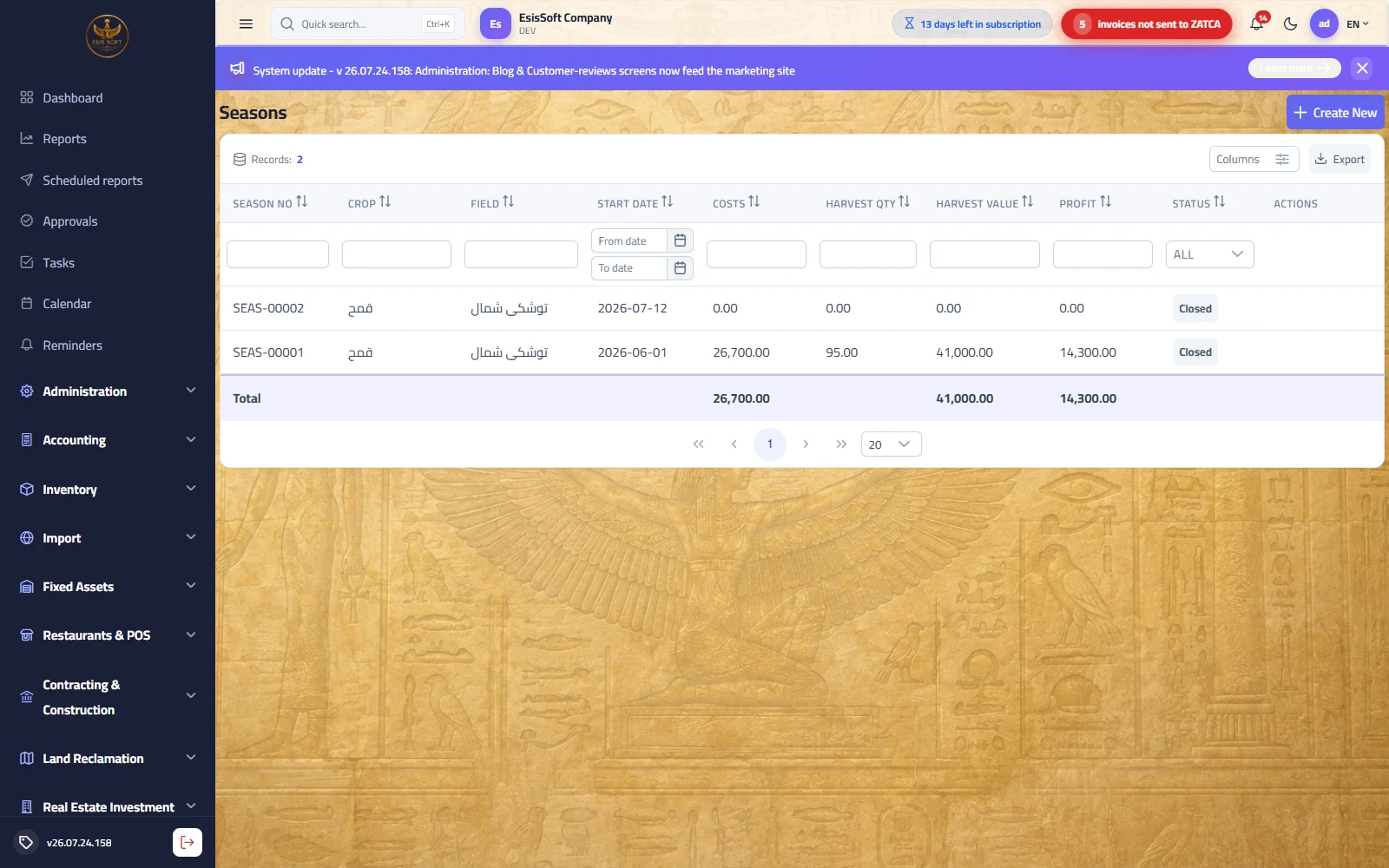
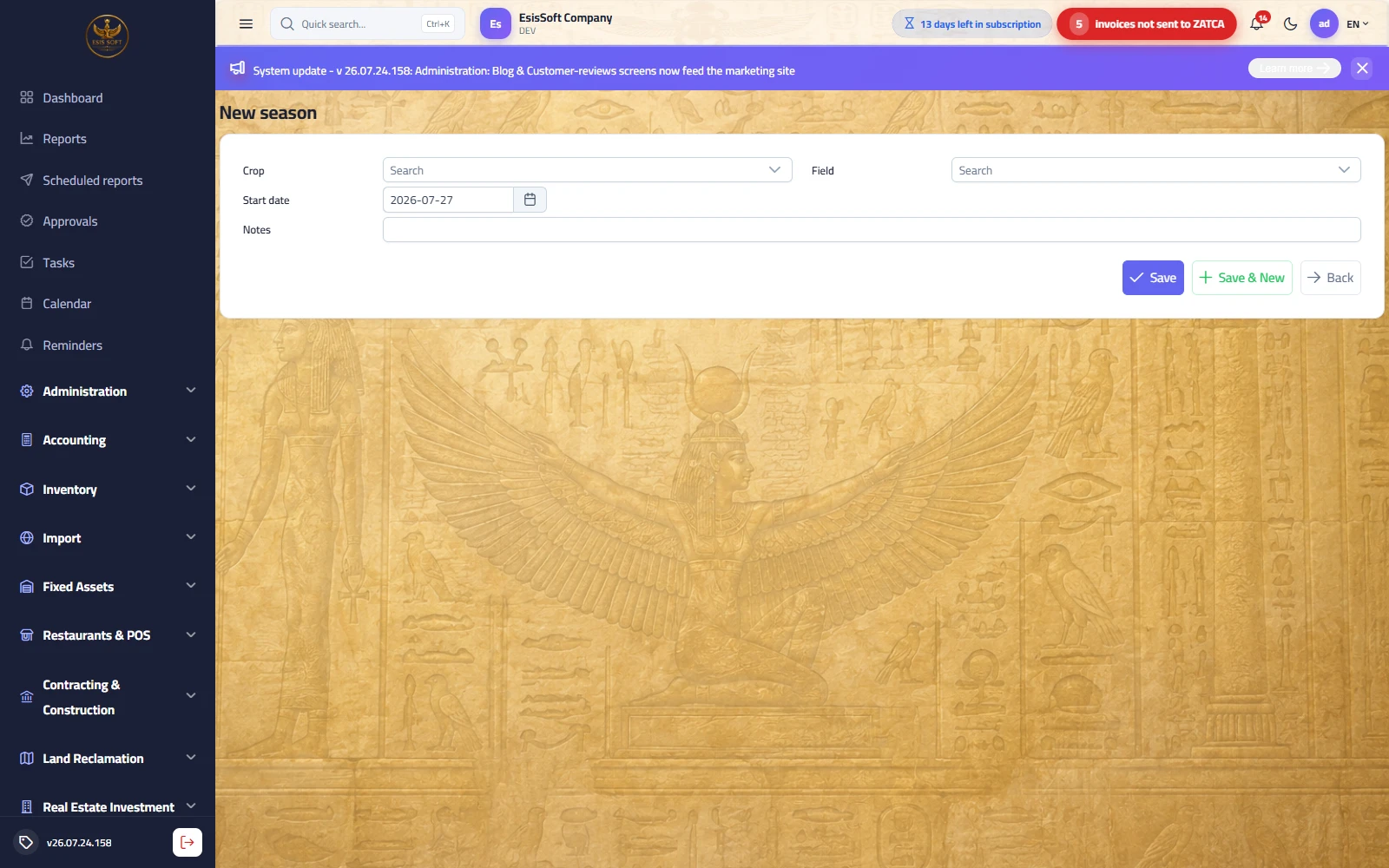
Purpose: the season is the cost container: crop + field + period (e.g. Wheat 2026 — North field). Every cost and every harvest is recorded against a specific season, and the list shows each season's live totals: costs, harvest quantity, harvest value and profit.
The two season statuses: Open accepts costs and harvests — Closed is finished and accepts no further documents.
"New season" screen fields
| Field | Required | Description |
|---|---|---|
| Crop | Yes | Pick from active crops only, with in-list search. |
| Field | Yes | Pick from active fields only. |
| Start date | Yes | Defaults to today. Determines the fiscal year the season belongs to. |
| Notes | No | Free text (seed variety, planting plan…). |
On save the system assigns a sequential document number in the form SEAS-00001 and links the season
to the default branch. "Save & New" keeps you on the screen to open another season.
List columns
| Column | Meaning |
|---|---|
| Season no | The sequential number SEAS-…. |
| Crop / Field | The two sides of the definition. |
| Start date | Beginning of the season. |
| Costs | Sum of all posted season costs — updates automatically with every cost. |
| Harvest qty | Sum of harvest document quantities. |
| Harvest value | Sum of harvest document values. |
| Profit | Computed automatically = harvest value − costs. |
| Status | Open (green) or Closed (grey). |
Closing a season
- Make sure every cost and every harvest has been recorded — after closing, the season accepts no documents.
- On the season's row (Open seasons only) click the lock icon "Close season".
- It switches to "Closed" immediately, and its end date is fixed to today if not already set.
FAQ
Q: Profit shows zero or negative although the season is profitable — why?
A: The column compares the recorded harvest value with costs. If you value harvests at cost (the recommended
practice) it will naturally be near zero, and the real profit appears when the produce is sold via sales invoices.
A large negative usually means not all harvests are recorded yet.
Q: Can two seasons run on the same field at the same time?
A: Yes — the system does not prevent it (intercropping, for example). Just take care to pick the right season when recording costs.
Q: I closed a season by mistake before the last harvest — what now?
A: There is no reopen on the screen. Record the remaining effect with a manual journal entry from the Accounting module,
or refer to your system administrator.
Season costs
Route: Agriculture › Season Costs — /agri/costs
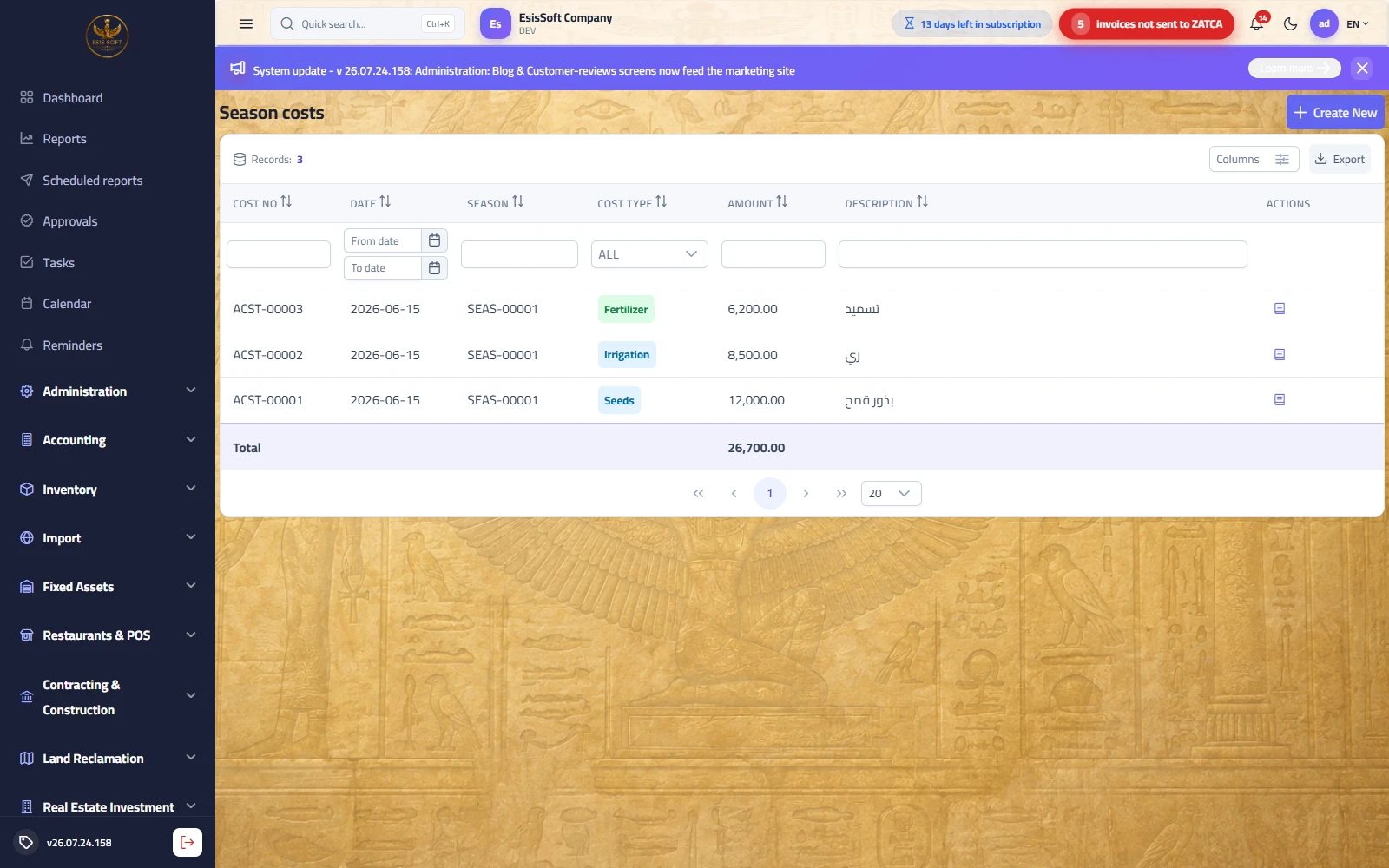
Purpose: record every expense against its season the moment it happens. The document is created and posted instantly in the same save: the amount is capitalized to "crop work in progress" against the chosen cash box, and accumulates in the "Costs" column of the season list.
When to use it: buying seed, an irrigation bill, daily labor wages, tractor rental… everything spent on the season before harvest.
"New season cost" screen fields
| Field | Required | Description |
|---|---|---|
| Date | Yes | Defaults to today; determines the entry's fiscal year. |
| Season | Yes | List of Open seasons only, shown as: season no − crop / field, with search. |
| Cost type | Yes | One of seven types (table below); default "Irrigation". |
| Amount | Yes | Greater than zero, 2 decimals — zero or negative blocks saving. |
| Cash box | No | A cash account from the defined payment accounts; the first is preselected, and if left empty the default cash box from settings is used. |
| Description | No | Free text shown in the list and in the journal entry narration. |
Cost types
| Type | Examples |
|---|---|
| Seeds | Certified seed, seedlings. |
| Irrigation | Water, pump electricity/diesel. |
| Fertilizer | Chemical and organic fertilizers. |
| Pesticides | Insecticides, fungicides, herbicides. |
| Labor | Daily wages, weeding, picking. |
| Machinery | Tractor/combine rental, machine fuel. |
| Other | Anything not covered above. |
Accounting effect (automatic on save)
| Account | Debit | Credit |
|---|---|---|
| Crop work in progress | Amount | — |
| Chosen cash box | — | Amount |
Document numbers follow ACST-00001. In the list, the book icon 📖 next to each cost
shows its posted journal entry.
FAQ
Q: My season does not appear in the list?
A: The list shows Open seasons only — a closed season accepts no costs.
Q: I bought fertilizer on credit from a supplier, not cash?
A: This screen posts against a cash account (cash box). For credit purchases record the invoice in the Purchasing
module against the supplier, then charge its value to the season according to your accounting policy
(a manual entry to WIP).
Q: One expense belongs to two seasons (tractor fuel serving two fields)?
A: Split it manually: two documents with appropriate amounts, each on its season — there is no automatic allocation.
Harvests
Route: Agriculture › Harvests — /agri/harvests
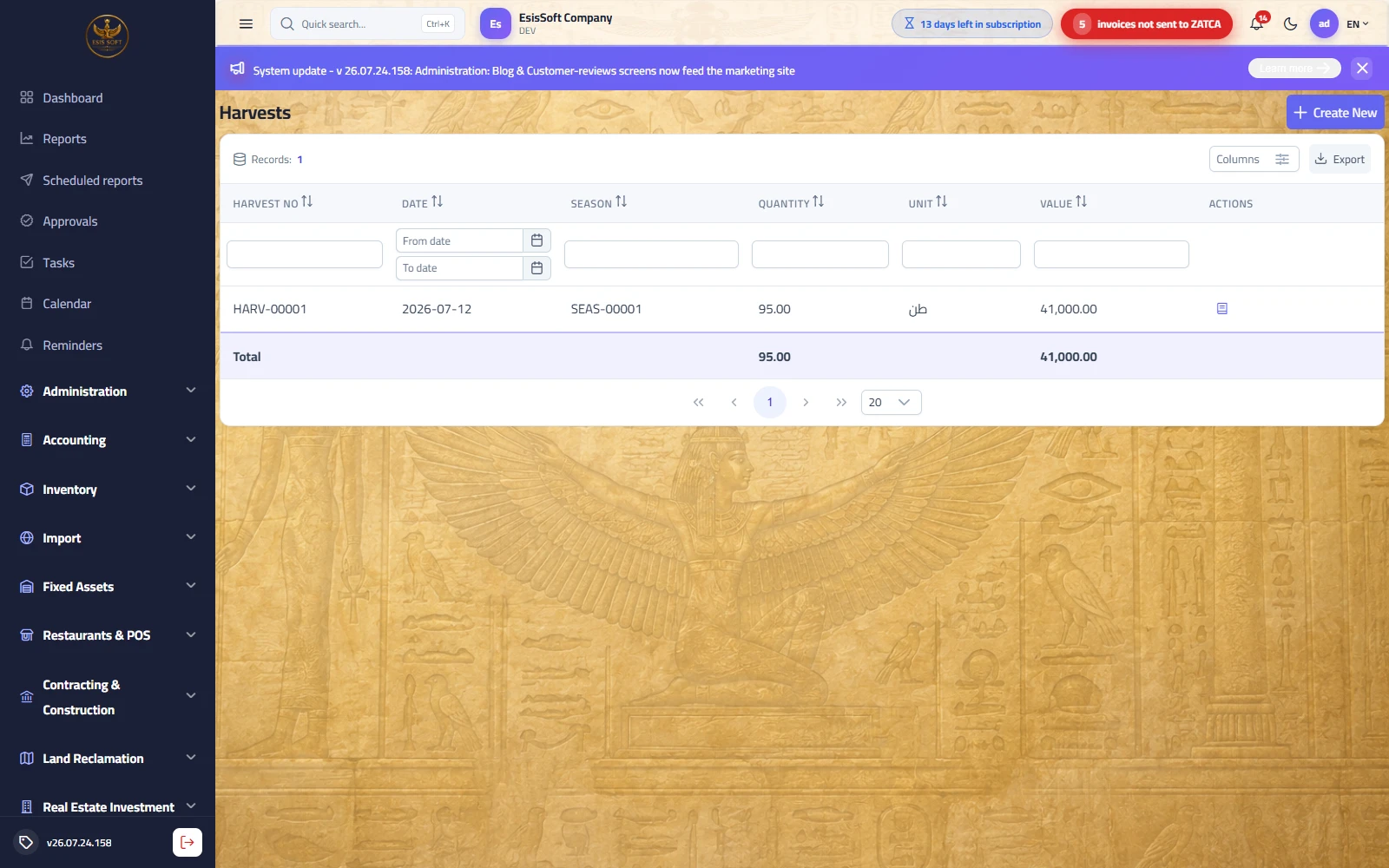
Purpose: record what was picked from the season: quantity, unit and value. The document posts instantly: the value moves from "crop work in progress" to "harvest inventory", and the quantity and value are added to the season totals. A season accepts multiple harvests (picking in batches).
"New harvest" screen fields
| Field | Required | Description |
|---|---|---|
| Date | Yes | Picking date; defaults to today. |
| Season | Yes | Open seasons only (season no − crop / field). |
| Quantity | Yes | Greater than zero, up to 3 decimals. |
| Unit | No | Free text, default "طن" (ton) — keep one consistent unit per crop. |
| Value | Yes | Greater than zero — you enter it: the cost of this batch that will move from WIP to harvest inventory (see the tip below). |
| Notes | No | Free text (quality grade, receiving store…). |
Accounting effect (automatic on save)
| Account | Debit | Credit |
|---|---|---|
| Harvest inventory | Value | — |
| Crop work in progress | — | Value |
Document numbers follow HARV-00001, and the book icon 📖 in the list shows the entry.
FAQ
Q: Does the system compute the value automatically from season costs?
A: No — the value is manual so you stay in control (partial picking, damaged crop…). Use the formula in the tip above.
Q: I picked in three batches — one document or three?
A: Three documents with their actual dates; totals accumulate on the season automatically while keeping each batch's detail.
Q: Where do I enter the receiving warehouse and quality grade?
A: There are no dedicated fields for them; note them in "Notes". The stock effect here is an accounting one
(the harvest inventory account), not an item movement in warehouses.
Full example: a wheat season from opening to profit
A farm opens season Wheat 2026 — North field (document SEAS-00007). Here is the whole cycle in numbers:
1) Recording costs (80,000)
| Document | Type | Description | Amount |
|---|---|---|---|
| ACST-00031 | Seeds | Certified wheat seed | 12,000 |
| ACST-00032 | Fertilizer | Urea + superphosphate | 20,000 |
| ACST-00033 | Irrigation | Pump diesel for the season | 8,000 |
| ACST-00034 | Pesticides | Rust control | 5,000 |
| ACST-00035 | Labor | Weeding and picking | 25,000 |
| ACST-00036 | Machinery | Combine rental | 10,000 |
| Total season costs | 80,000 | ||
Each document posted instantly: Dr Crop work in progress / Cr Cash box. WIP now carries a debit balance of 80,000, and the "Costs" column in the season list shows 80,000.
2) Cost per ton and recording harvests
Expected yield is 50 tons → cost per ton = 80,000 ÷ 50 = 1,600. The season is picked in two batches:
| Document | Qty | Unit | Entered value | Automatic posting |
|---|---|---|---|---|
| HARV-00011 | 30 | ton | 30 × 1,600 = 48,000 | Dr Harvest inventory 48,000 / Cr WIP 48,000 |
| HARV-00012 | 20 | ton | 20 × 1,600 = 32,000 | Dr Harvest inventory 32,000 / Cr WIP 32,000 |
| Total: 50 tons | 80,000 | WIP balance = zero ✓ | ||
The season list now reads: Costs 80,000 — Harvest qty 50 — Harvest value 80,000 — Profit 0 (harvests were valued at cost, so all costs moved into inventory with no book gain or loss).
3) Closing, then selling
- After the last batch click "Close season" — it turns "Closed" and the end date is fixed.
- Sell the 50 tons at 2,100 per ton via the Sales module = revenue 105,000.
- Cost of goods sold = 80,000 (from the harvest inventory account) → actual season profit = 25,000, a 23.8% margin.
Season cost types
Path: Agriculture → Master data → Season cost types — /agri/cost-types
What it does: The classification of what a season consumes — seed, fertiliser, irrigation, labour, spraying — so the crop’s cost reads by line rather than as one number, and one season compares with another.
| Field | Description |
|---|---|
| Name | In Arabic and English. |
| Account | The expense account it posts to. |
| Active | Deactivate what is no longer used. |
Frequently asked questions
How do agricultural seasons work?
Create a season for a crop and field; record its costs (seeds, fertilizer, irrigation, labor) and harvests to see profit per season.
How do I record a harvest?
Open the season and add a harvest with quantity and value; the season profit updates as harvests and costs accumulate.
Can I track cost per crop or field?
Yes. Seasons are linked to crops and fields, so you can compare profitability across different crops and plots.
Does agriculture post to accounting?
Yes, season costs and harvest revenue flow to the general ledger for accurate financial reporting.