School Management module
A complete school-management system inside the ERP: from the online admissions portal to the report card, covering enrolment, attendance, timetables and grades — with fees posted straight to receivables and the ledger, no separate accounting package and no exported files. Its services ride the platform's own modules: buses on Fleet, the canteen on point of sale, payroll on the posting engine.
Before you start: what is configured once
Purpose: before the first fee invoice or journal entry, the module is linked to the chart of accounts from Settings → Accounts. Without these accounts the system refuses to post and names the missing setting.
| Setting | Used for |
|---|---|
| Student receivables | The debit side of every fee invoice — what guardians owe. |
| Tuition revenue | The credit side of fee items when the invoice is issued. |
| Unearned tuition | A liability when payment covers a term that has not begun; recognised as revenue as the term progresses. |
| Student wallet balances | The canteen liability: credited on top-up, debited on purchase. |
| Library fines | Revenue from late and lost-item fines. |
| Admission application fees | Revenue from application fees (collected in cash with no invoice). |
| Teacher salaries / salaries payable | Payroll expense and its liability when a run is posted. |
Academic structure
Path: Schools → Academic years / Grades / Sections / Subjects / Teachers — /school/years
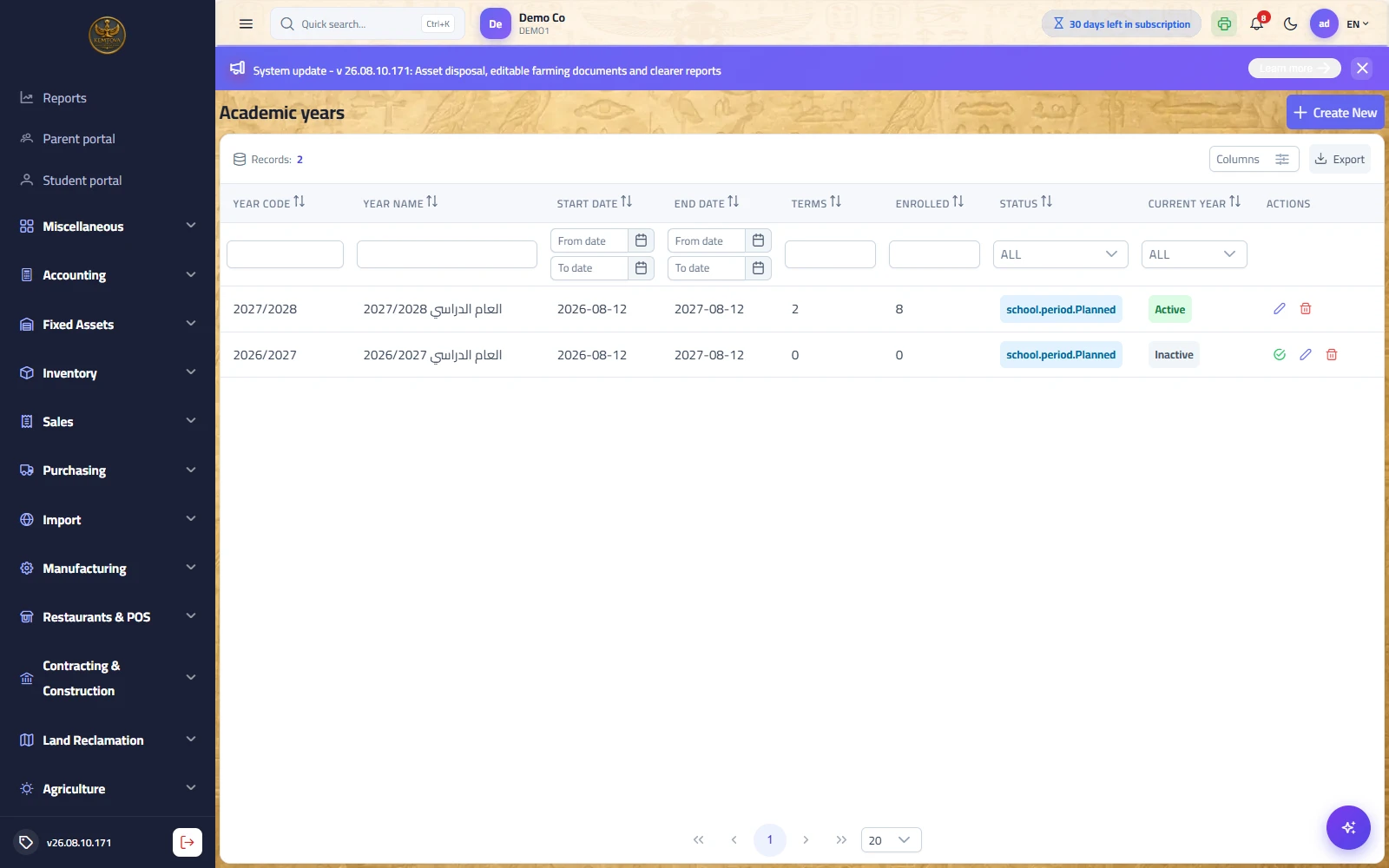
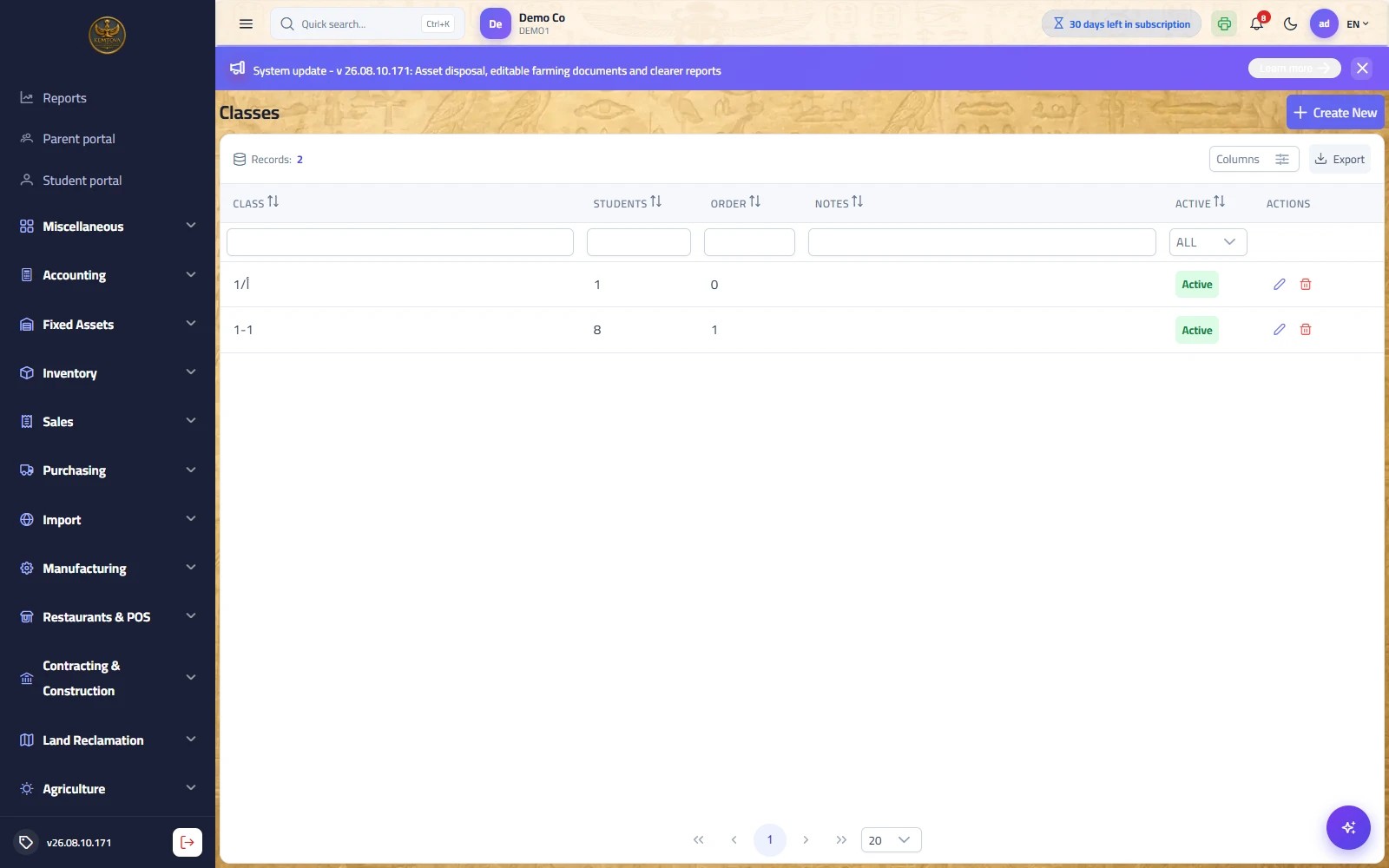
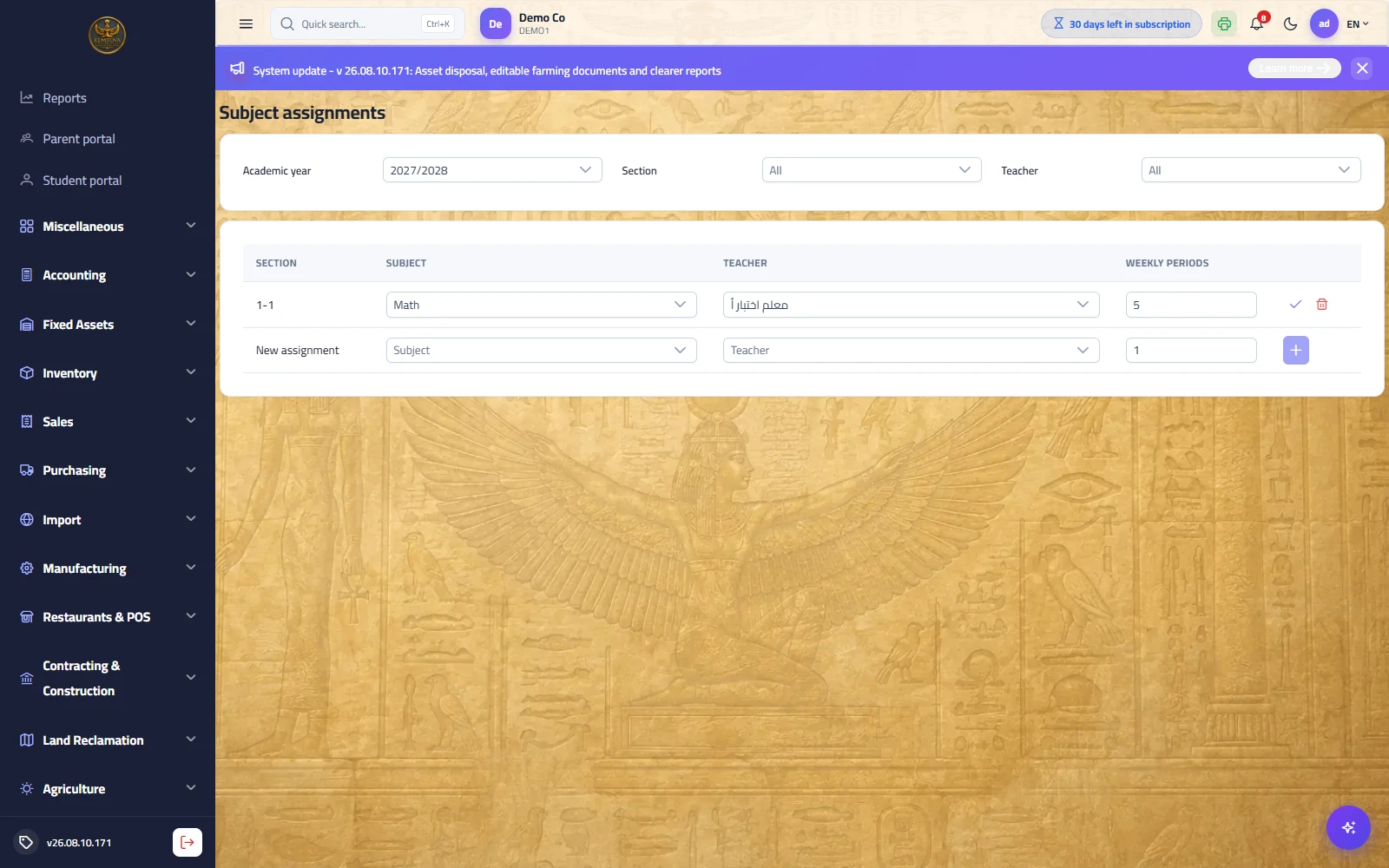
Purpose: the structure built once before the year starts; every later record belongs to it. The logical order is: academic year → grades → sections → subjects → teachers → assignments → timetable.
| Screen | Description |
|---|---|
| Academic years | A year with its code and terms, and a state (planned / active / closed). A closed year blocks marking and edits. |
| Grades | Grade one through the final secondary year, with stage and sort order. |
| Sections | A section belongs to a grade within a year, with capacity, form tutor and room. Exceeding capacity is refused at enrolment. |
| Subjects | The subject with its code and prescribed weekly periods, and whether it is core (counts toward the total) or an activity. |
| Teachers | The teacher card with a maximum weekly load, and a link to a system user that enables "a teacher sees only their sections". |
| Teaching assignments | Section × subject × teacher × weekly periods — the input to both the timetable and mark entry. |
Timetable and the automatic generator
Path: Schools → Timetable — /school/timetable
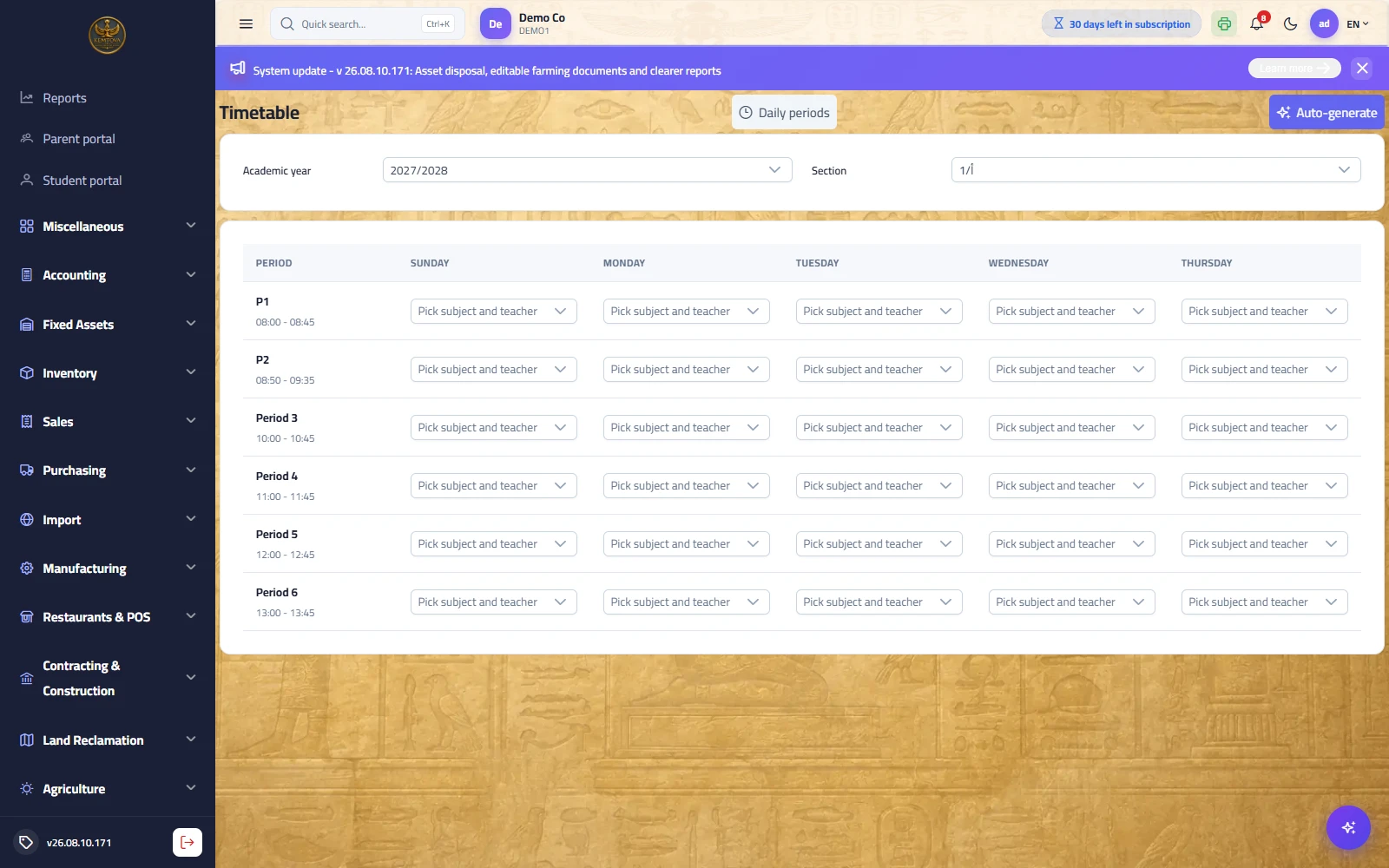
Purpose: a days × periods grid per section. A cell is filled by picking an assignment (subject and its teacher together), so scheduling a subject with no assignment is impossible. The server refuses three clashes: a section with two subjects in one period, a teacher in two sections, and a room booked twice.
Automatic generation: the "Auto-generate" button builds the timetable from assignments: it spreads a subject across days, caps consecutive periods, and balances the daily load. The preview writes nothing — it reports how many periods were placed out of how many required, the constraints it could not solve with a written reason, and load-ceiling warnings.
| Field | Description |
|---|---|
| Working days | The days the grid is built on (Sunday–Thursday by default). |
| Max consecutive periods per subject | Two are sometimes useful (a lab), four are a disaster — the limit is yours. |
| All sections | Generate for every section or only the selected one, while respecting what is already scheduled elsewhere. |
| Apply a partial timetable | An explicit acknowledgement that you accept an incomplete timetable. Without it the system refuses to write one. |
Students and admissions
Path: Schools → Admissions / Guardians / Students / Enrolments — /school/admissions
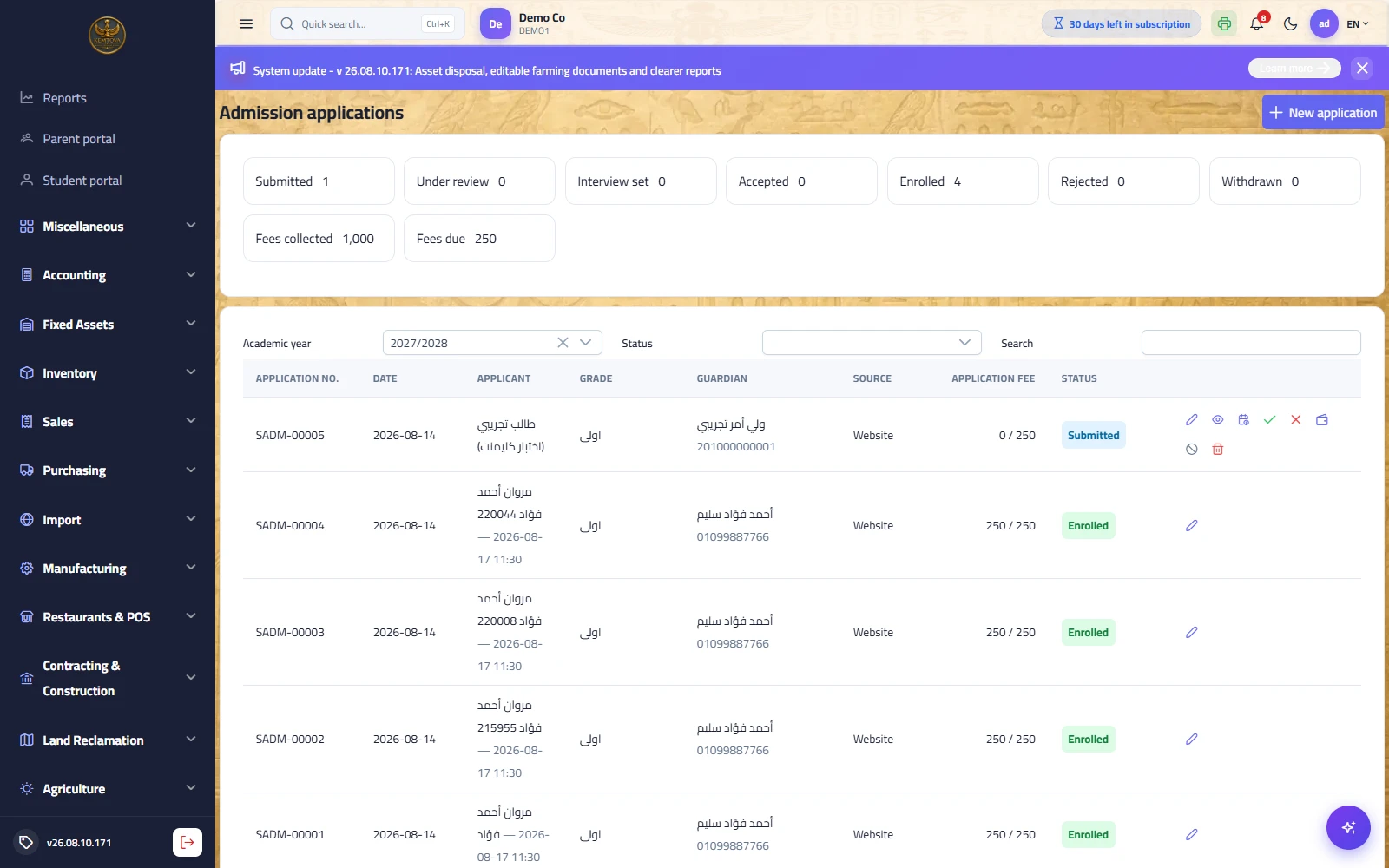
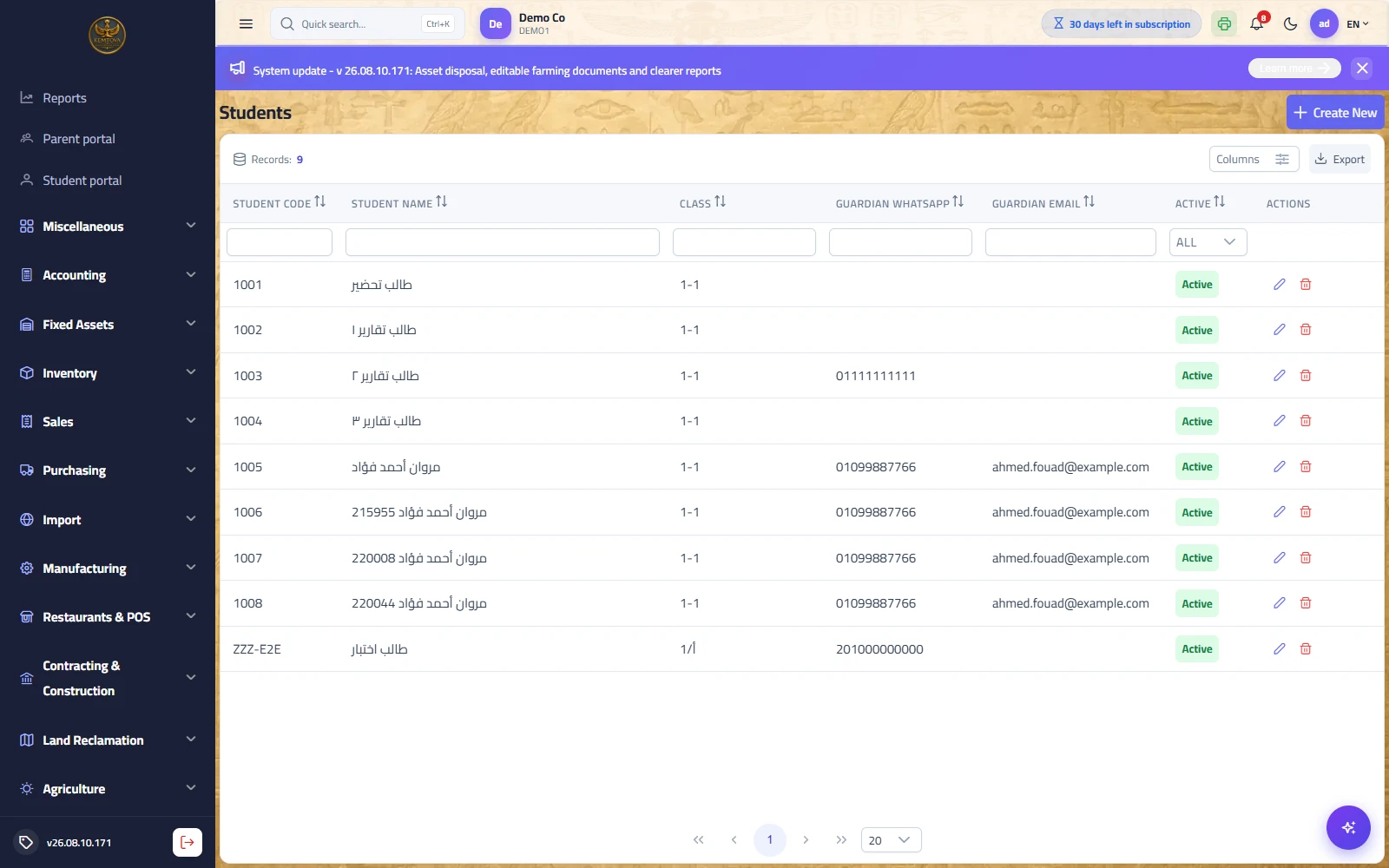
Purpose: the student lifecycle from application to enrolment. A guardian is an independent record linked to several students with a stated relationship — which is what makes sibling discounts, a family invoice and the family portal possible in the first place.
| Screen | Description |
|---|---|
| Admission applications | A seven-state path: received → under review → interview scheduled → accepted / rejected → enrolled / withdrawn. Every application has a number and a tracking key. |
| Guardians | Name, phone and ID, links to students (relationship, primary contact, right to collect from the gate, notification recipient), and portal account creation. |
| Students | The student card with code, photo, section and the flattened guardian details the gate devices read. |
| Enrolments | One enrolment per student per year with a status (new / continuing / transferred / withdrawn / graduated) and dates — the basis for end-of-year promotion and transcripts years later. |
- The guardian opens
/apply/<school-code>and fills the form — no login. - They receive an application number and a tracking key to check the status any time.
- The school moves it to "under review", then schedules an interview with a score and a written note.
- Collecting the application fee posts an automatic entry: debit cash / credit application-fee revenue.
- The decision: accept (a grade must be chosen) or reject with a written reason.
- The "Convert to student" button creates in one click the student, the guardian (or links to an existing one when the phone matches — an older sibling) and the enrolment. Conversion never happens twice.
Attendance and behaviour
Path: Schools → Period attendance / Attendance log / Absence excuses — /school/period-attendance
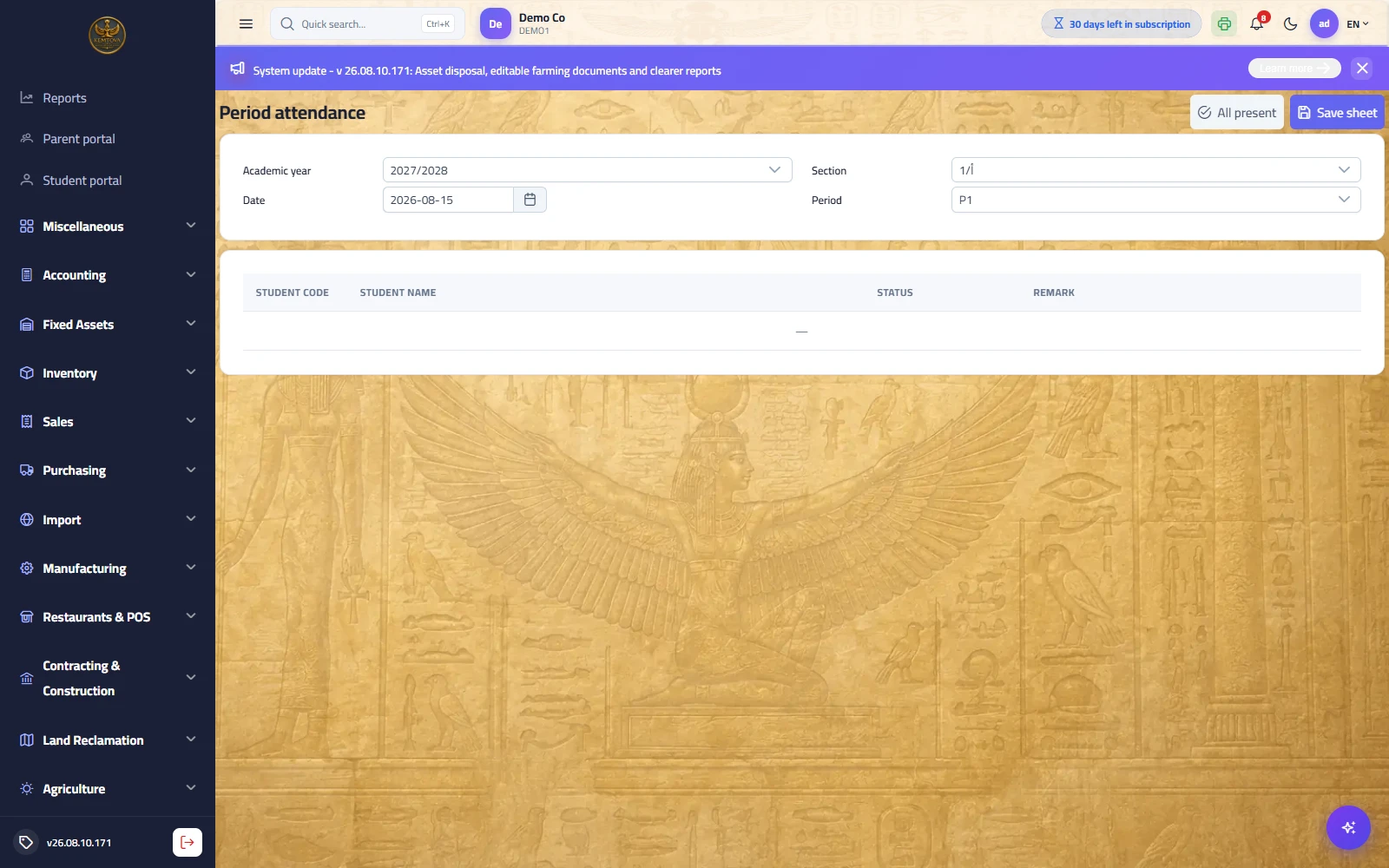
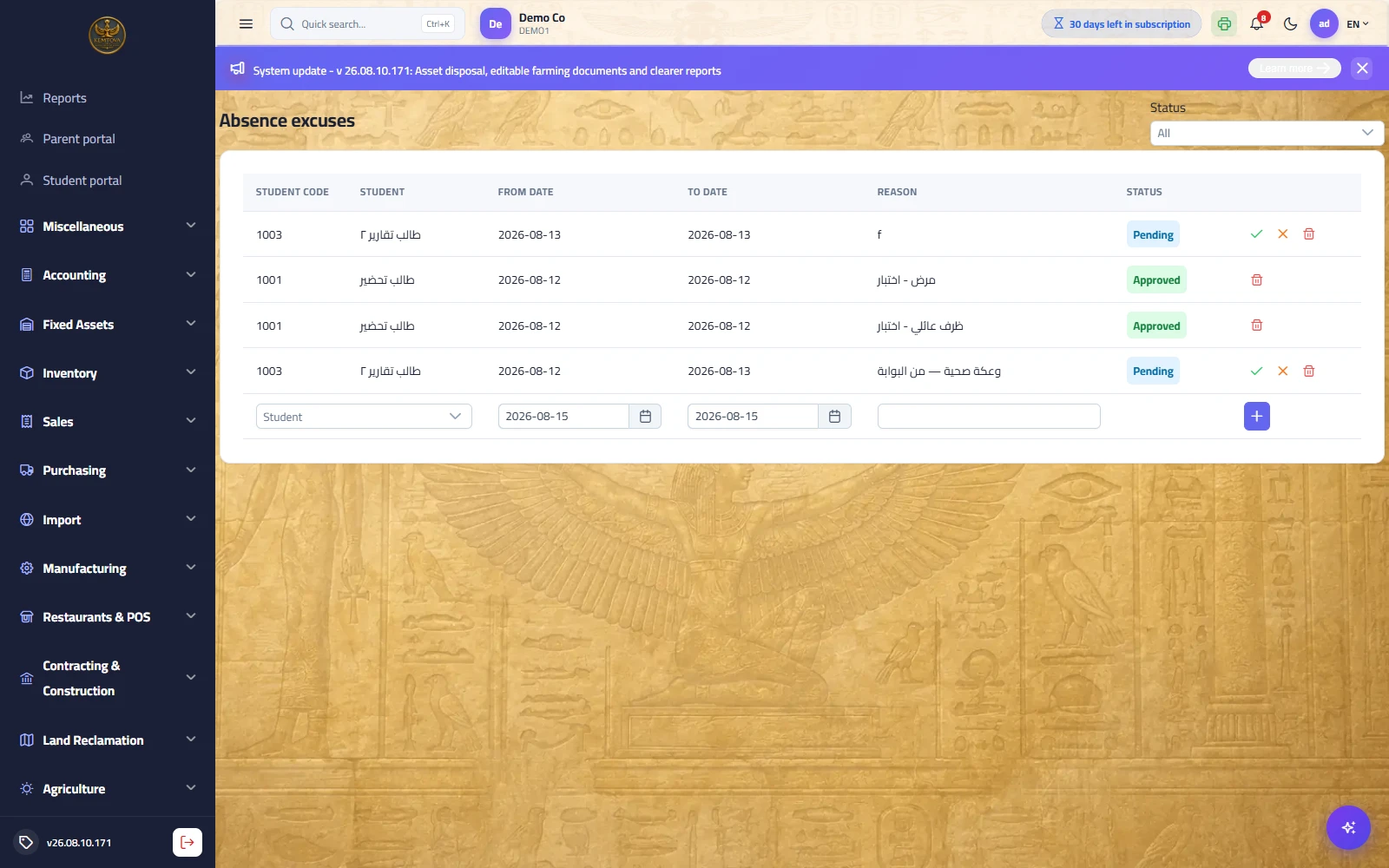
Purpose: attendance from three sources in one record: a gate scan (the ESIS ATTEND app), the teacher's period roll call, and manual correction. There are five states, not two: present / late / absent / excused / left early.
| Screen | Description |
|---|---|
| Period attendance | The section list opens with everyone present; the teacher taps only the absentees and saves — under two minutes. |
| Attendance log | Gate scans with their timestamps; the arrival notification to the guardian is sent from here. |
| Absence excuses | Submitted by the guardian from their portal with a medical attachment, reaching the deputy head as "pending"; approval flips the day from "absent" to "excused", recorded with who approved and when. |
| Behaviour types and log | Incidents and merits with their point values; the student balance shows on the report card and in the portal. |
| Health file | Vaccinations, allergies, chronic conditions and clinic visits — with a teacher alert where needed. |
| Gate devices | Devices with their keys; a device scans offline and syncs later without duplicating records. |
Teaching and assessment
Path: Schools → Homework / Assessment types / Mark entry / Results — /school/assessments
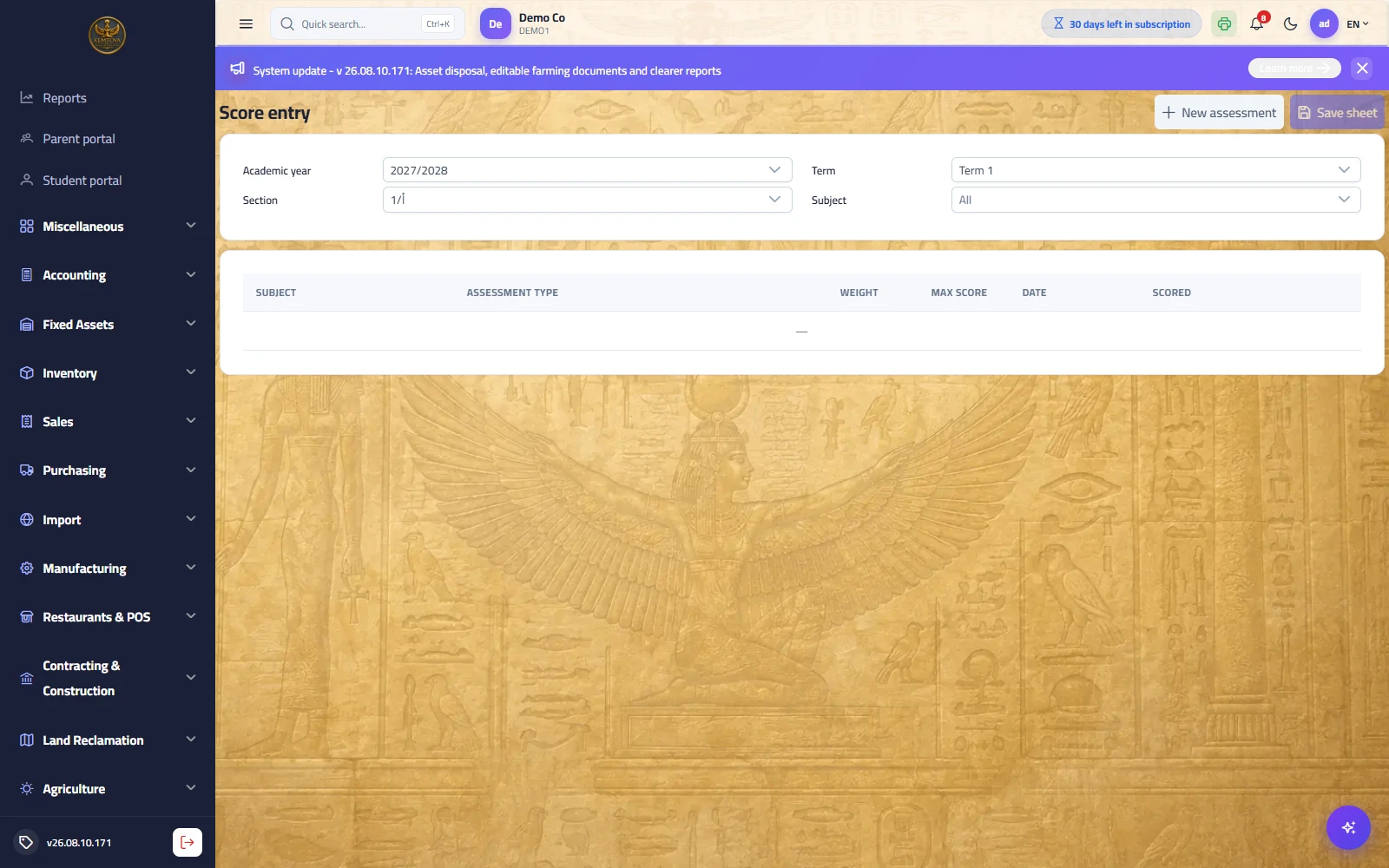
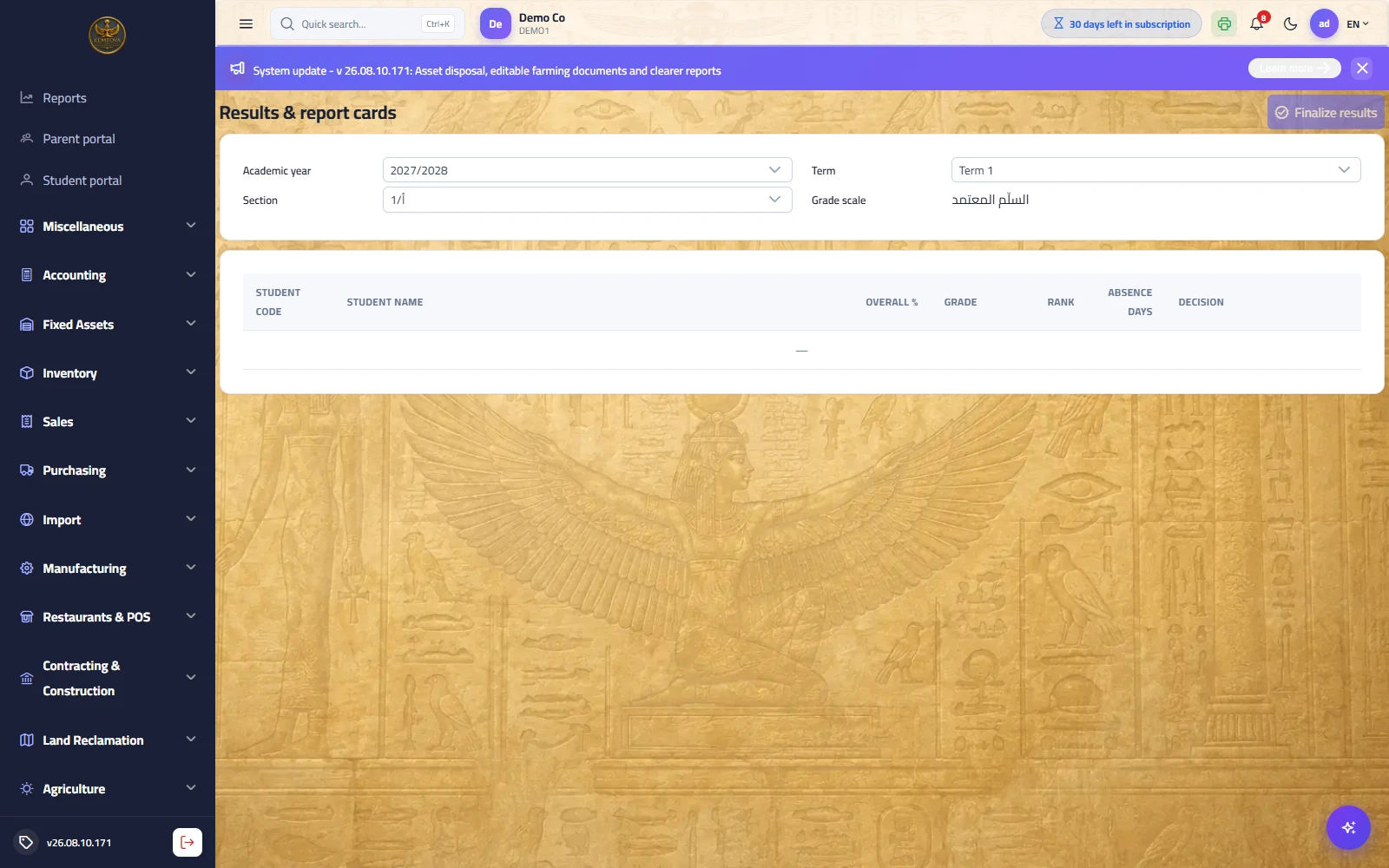
Purpose: from daily homework to an approved report card. A final mark is a weighted composition: the subject percentage is the sum of (mark ÷ maximum × type weight) divided by the weights of the assessments actually entered — so a half-marked term still yields a correct percentage.
| Screen | Description |
|---|---|
| Homework | Publish homework to a section with attachments and a due date; the student submits from their portal and the teacher grades it. Submission state is computed on the server from the due date, not from the browser's claim. |
| Assessment types | Coursework / midterm / final / practical… each with a percentage weight. The weights must total 100%. |
| Grading scales | Scale bands: 90–100 excellent, 80–89 very good… and a scale per stage where needed. |
| Mark entry | The teacher's screen, restricted to their sections and subjects. "Absent" counts as zero while "not entered" is skipped. |
| Exams | Exam schedules, committees, seating and invigilators, with result entry. |
| Results and report cards | Term and year results with a promotion decision, a printable bilingual card, and a transcript across years. |
Fees and finance
Path: Schools → Fee items / Fee plans / Fee invoices — /school/fee-invoices
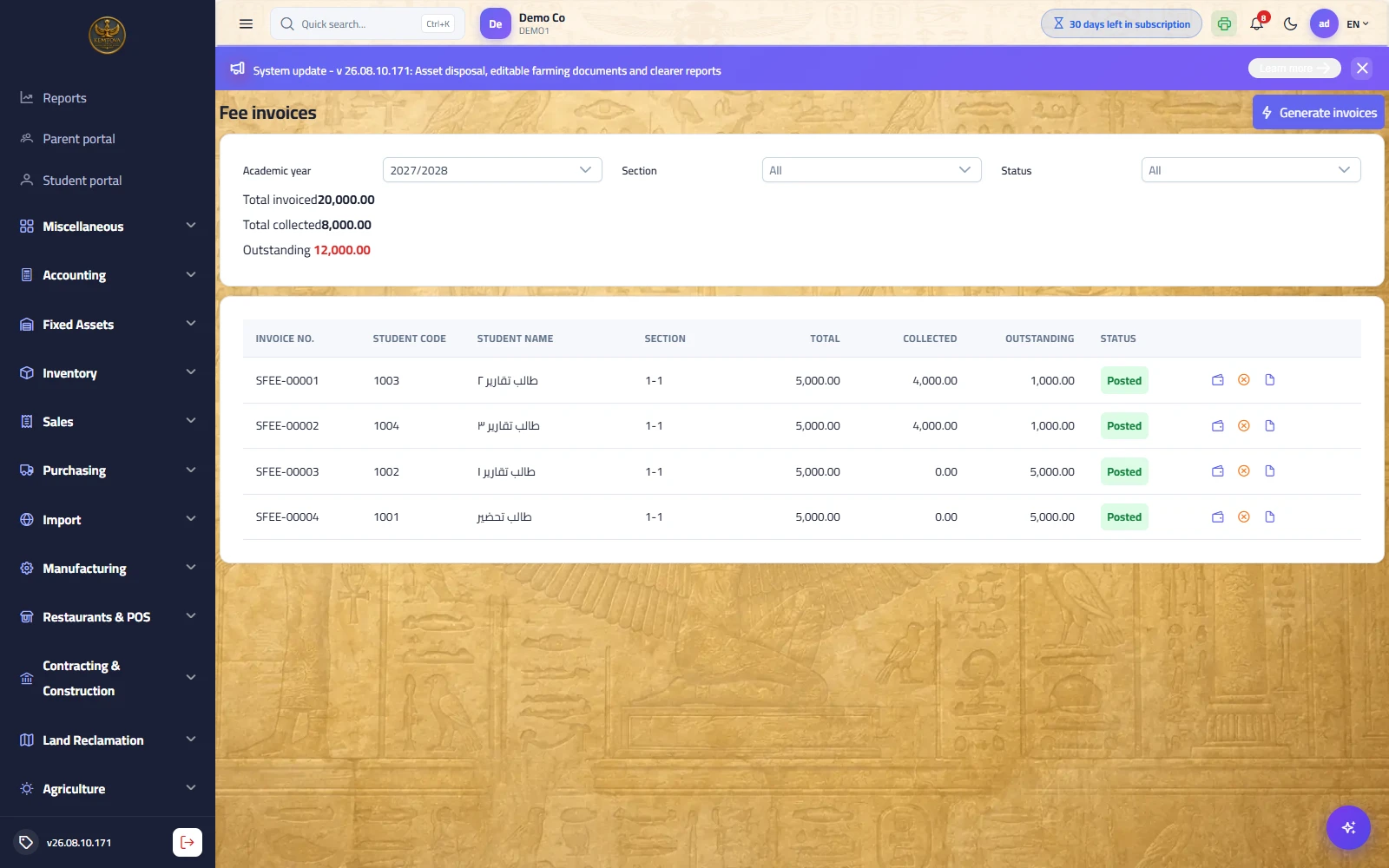
Purpose: a full accounting fee cycle rather than a collection log. The order is: item → plan per grade → invoice per student → receipt.
| Step | What happens |
|---|---|
| Fee items | Tuition, registration, books, transport, activities… each with its own revenue account — which is what makes "does transport cover its cost?" answerable. |
| Fee plans | A plan per grade per year, with instalments and due dates. Exceptions (scholarship, sibling, staff discount) sit at student level. |
| Generating invoices | In one batch from student enrolments: an invoice per student with its lines and instalments. |
| Posting | Debit student receivables / credit each item's revenue, with the discount distributed across the lines. |
| Collection | A receipt settles instalments oldest-due first: debit cash / credit student receivables. |
| Cancellation | Reverses the entry with a counter entry rather than erasing it — the accounting trail stays visible. |
School services: transport, canteen and library
Path: Schools → Transport / Canteen wallets / Library — /school/transport
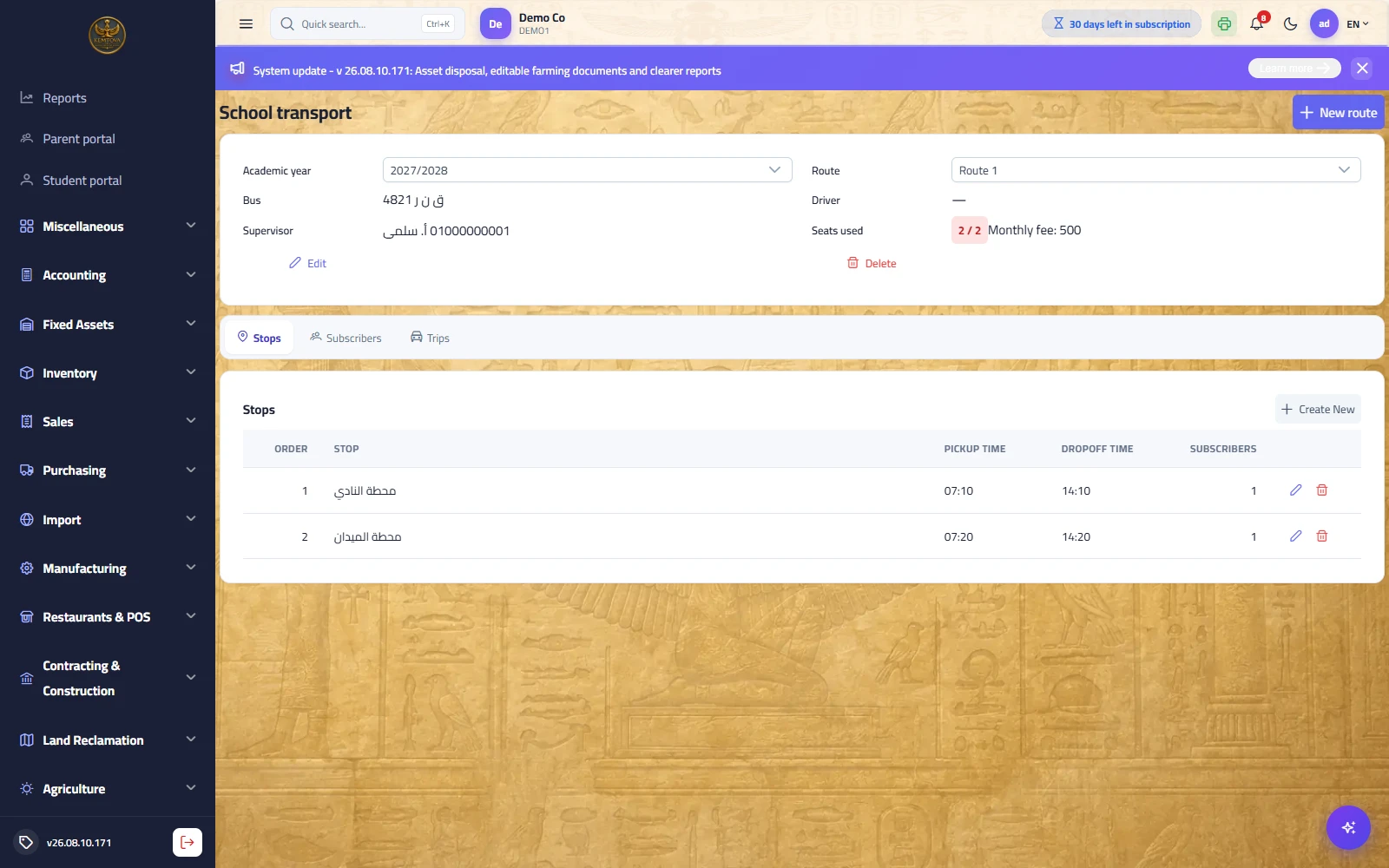
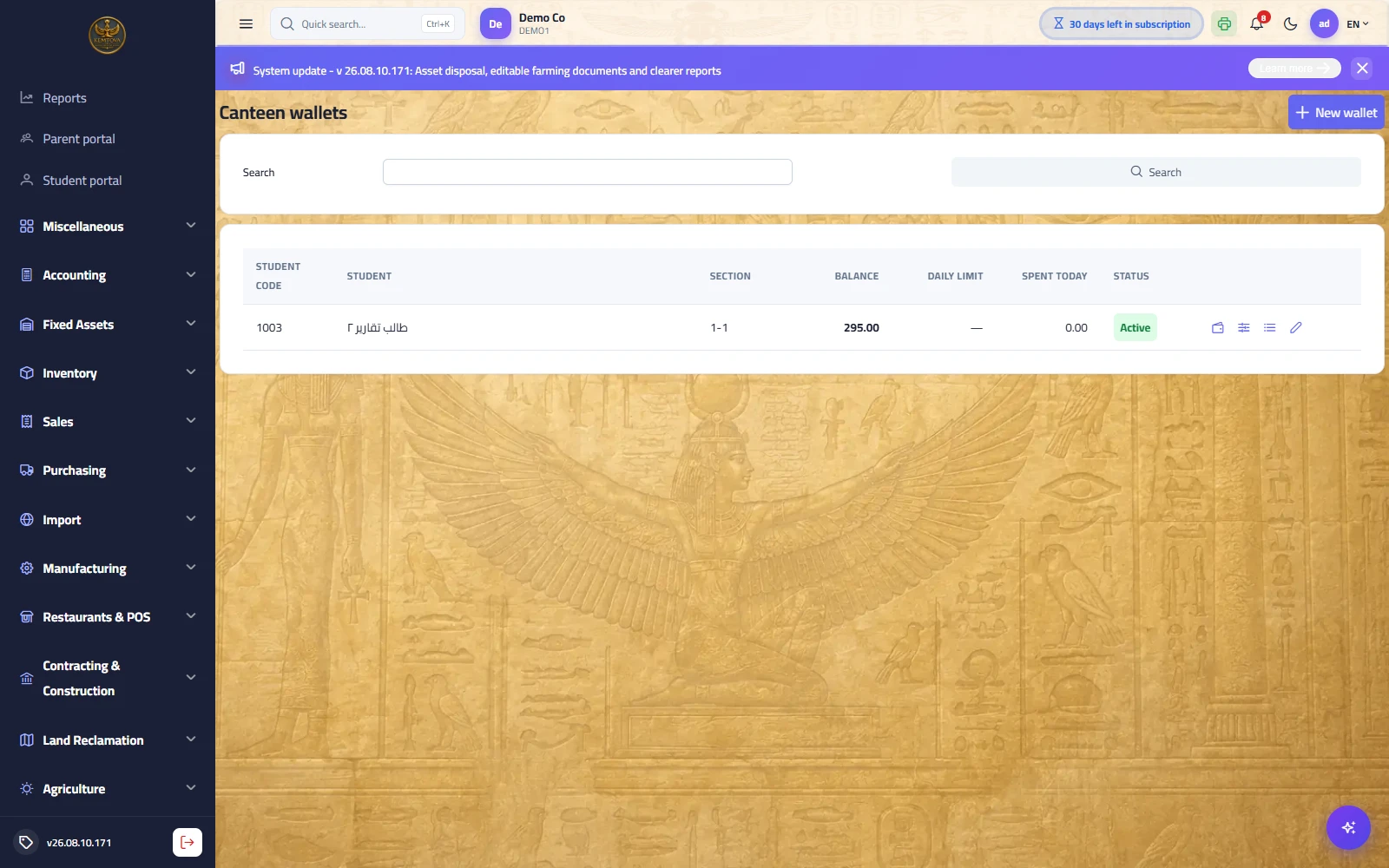
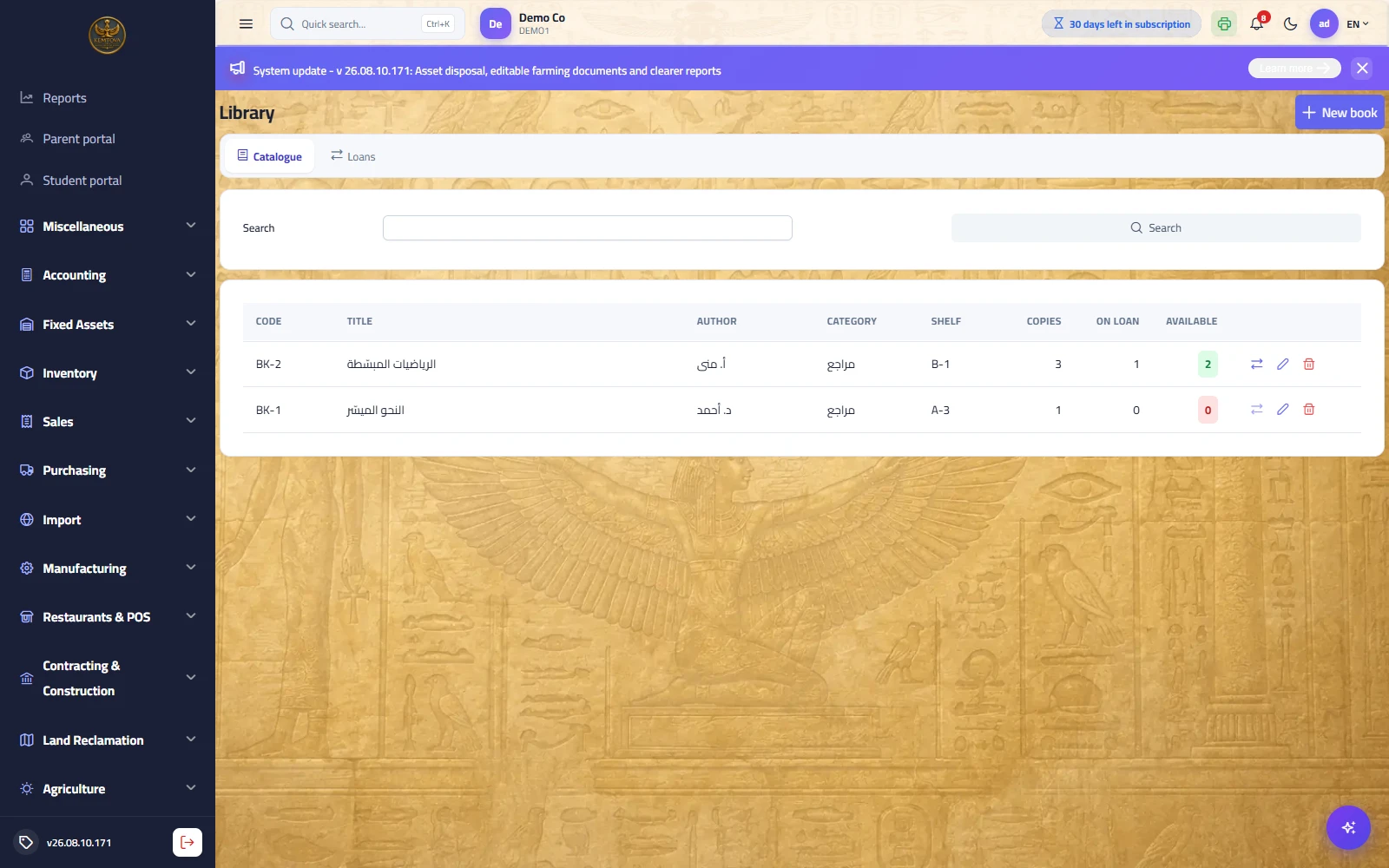
Purpose: the services that exhaust the office when run as separate systems — here they all share one student identity and one set of books.
| Service | How it works |
|---|---|
| School transport | Routes, stops, times and student subscriptions, with boarding and alighting scans that notify the guardian. The bus is a vehicle in the Fleet module with its maintenance, fuel and driver — so the true cost of a route is known. |
| Canteen | A prepaid student wallet with a daily spending cap, purchased on the existing point of sale. A top-up is a liability, not revenue: debit cash / credit wallet balances, becoming revenue only on purchase. |
| Library | A catalogue of copies, loans with a period and a late fine posted as revenue, and a maximum number of open loans per borrower. |
| Certificates and letters | Enrolment, conduct and clearance letters from templates with a serial number; the body is stored at issue so what was handed to an official body never changes. |
| Staff and payroll | School staff by category, and a payroll run with states (draft → posted → paid): accrual is booked first and payment second, so no month shows a short expense and the next a doubled one. |
Guardian and student portals, and teacher meetings
Path: Guardian portal / Student portal — /portal
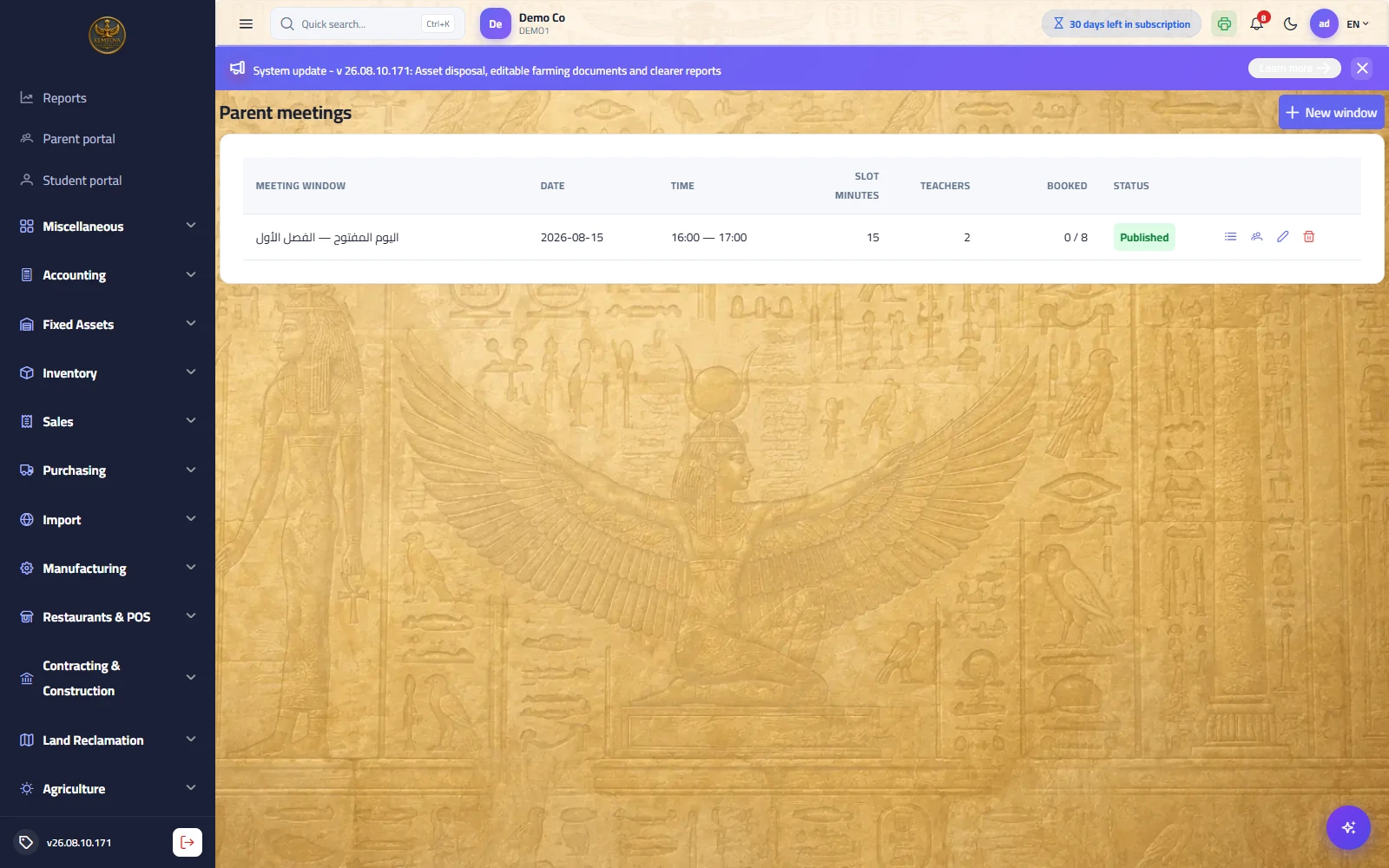
Purpose: two accounts created from the guardian or student card with narrow roles. A guardian switches between their children on one screen and sees only their own children.
| Tab | What it shows |
|---|---|
| Attendance | A monthly summary and absence days, plus submitting an excuse with an attachment. |
| Timetable and homework | The section timetable, and homework with due dates, submission state and mark. |
| Results | Approved cards only — a draft is deliberately refused by the server. |
| Fees | Posted invoices, instalments, what is paid and what remains, and the statement. |
| Transport, canteen and library | The bus route, wallet balance and purchase statement, and open loans. |
| Meetings | Booking a slot with a teacher on the open day — one slot per teacher per student, with a reminder the day before. |
Early warning and reports
Path: Schools → Early warning & analytics — /school/analytics
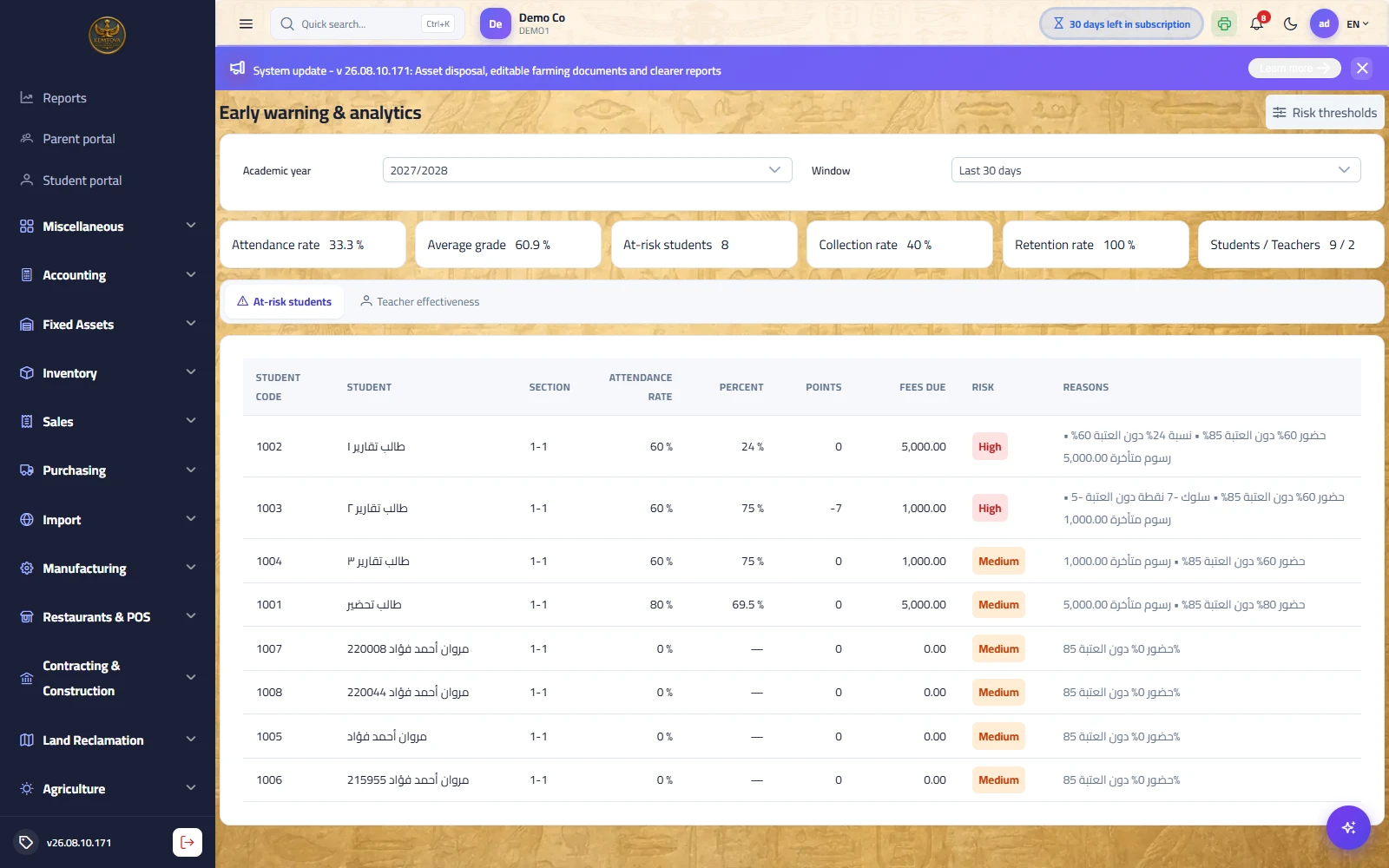
Purpose: the system reads three signals together — attendance, marks and behaviour, plus financial strain — and produces the at-risk student list with written reasons rather than bare numbers.
| Indicator | Meaning |
|---|---|
| Risk thresholds | Set by the counsellor on the same screen (85% attendance, 60% marks, −5 behaviour by default) — tune them until the list is actionable, typically 5–10% of students. |
| Teacher effectiveness | Comparing subject results across sections — read as a question, not a verdict, and shown with the number of results behind it. |
| School indicators | Attendance rate, average mark, at-risk count, collection rate, retention rate. |
| School reports | In the report centre: monthly attendance, chronic absence, attendance rate by section, transcripts, pass/fail, fee collection, instalment ageing, transport, canteen, library, certificates, payroll and the admissions funnel. |